Icon of program: Microsoft Defender

Microsoft Defender for Windows

  • Paid
  • 3.8
    4337
  • 1.3M
  • V102.2503.28002.0
Download for Windows

View an ad to download for free

Joe Wainer

Updated 2 months ago

Built-In Security That Keeps Watch

Microsoft Defender, developed by Microsoft, provides built-in malware protection for Windows desktops through the Windows Security experience. It offers real-time scanning, cloud-delivered threat intelligence, and Microsoft Defender Offline for harder-to-remove infections. It also includes firewall controls, tamper protection, and SmartScreen app and browser checks. The tool suits everyday users and IT teams that need integrated baseline protection without a separate antivirus installation.

Top Recommended Alternative

What Defender Handles in the Background

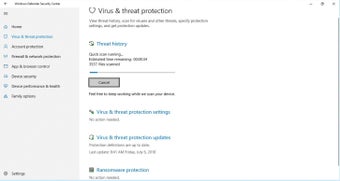
Microsoft Defender Antivirus works as the platform’s built-in threat protection, running real-time scans that check files, downloads, removable media, and suspicious behavior. Because it is included with Windows Security, it activates by default on compatible systems and provides baseline protection for home PCs and managed desktops. This built-in setup reduces installation effort, although some controls sit across different Windows Security menus.

Cloud Help for Fast-Moving Threats

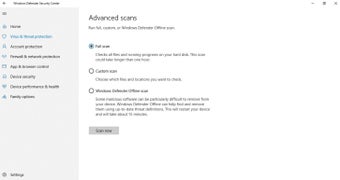
Detection and removal combine local scanning with cloud-delivered protection and an offline recovery option. Cloud intelligence helps Defender respond to newer threats, while Microsoft Defender Offline can scan for persistent malware outside the running system. Independent security labs often rate Defender strongly, supporting its role as primary antivirus protection for many users, though specialized environments can still require extra endpoint tools.

Settings, SmartScreen, and Tamper Guards

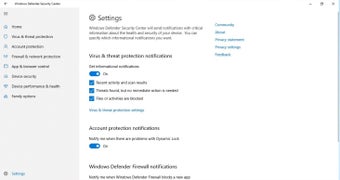
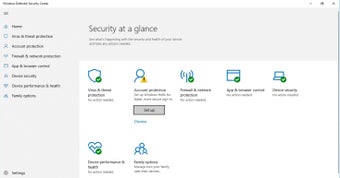
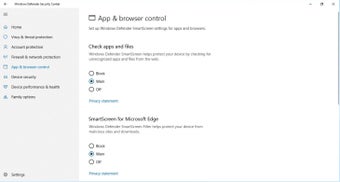
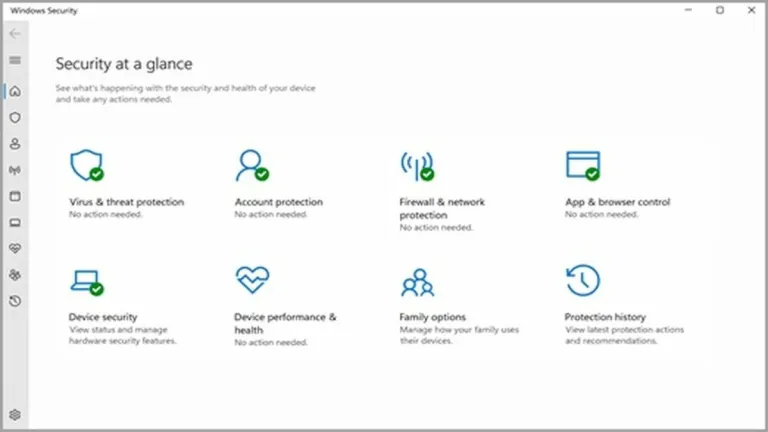
Security settings are managed through Windows Security and standard update channels, with security intelligence updates delivered automatically. Defender also includes SmartScreen checks for risky apps, files, and websites, plus tamper protection to help stop malicious changes to security settings. The layout is functional, but users unfamiliar with Windows Security can need time to find specific controls.

Low Setup, Not Zero Thinking

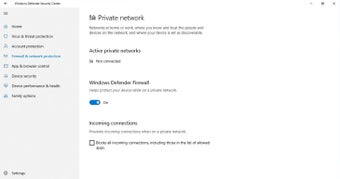
Deep system integration reduces setup friction because no separate installer is needed for the built-in protection. Features such as Controlled Folder Access add ransomware-focused defense by limiting unauthorized changes to protected folders, while the firewall helps filter network traffic. When another antivirus is active, Defender can enter passive mode to avoid conflicts, so behavior depends on the device’s security setup.

A Strong Default With Sensible Limits

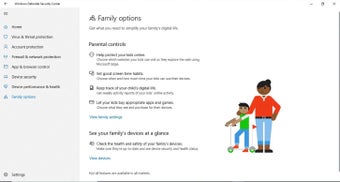
Microsoft Defender is a practical choice for users who want always-on antivirus software that runs quietly and updates automatically. Its strongest points are built-in access, real-time protection, ransomware tools, and offline scanning. However, advanced cross-device, identity, and family protections can depend on Microsoft 365, and users wanting extras like bundled VPN tools need a broader paid security suite.


Joe Wainer

Joe Wainer is a content writer with a strong interest in technology and software. He enjoys exploring new apps, games, and tools, translating his findings into reviews that are clear and accessible. His background also includes coding projects, adding practical insight to his evaluations.


  • Pros

    • Built into Windows Security with no separate antivirus installation
    • Real-time protection with cloud-delivered threat intelligence
    • Controlled Folder Access helps protect against ransomware behavior
    • Microsoft Defender Offline scans harder-to-remove infections
  • Cons

    • Some controls are spread across Windows Security menus
    • Advanced cross-device and identity features can require Microsoft 365
 0/8

App specs

Also available in other platforms

Program available in other languages


Icon of program: Microsoft Defender

Microsoft Defender for PC

  • Paid
  • 3.8
    4337
  • 1.3M
  • V102.2503.28002.0
Download for PC

View an ad to download for free


User reviews about Microsoft Defender

3.8

8 reviews

Add review

Main reviews for you

  • Anonymous user

    Its good and useful tool. and i can take a shower and do my homework at the same time

  • Anonymous user

    Good,strong antivirus very well effecting ,like it ,iam with windows defender

  • Anonymous user

    Great software. ive been using this all my life and it has proven perfect

  • Anonymous user

    Niceso muchgreat window defender app it is it is best security app

  • Anonymous user

    Working satisfactorily for several years> Solved many problems. Most importantly no complex operations involved

  • Anonymous user

    Windows Defender is better than others virus protection software.. I think that windows defender is best for the protection of computer from viruses.It increase the performance. Pros: Performance Cons: It should be as that if it having, no need others software.

More

You may also like

Alternatives to Microsoft Defender

Explore Apps

Related Articles

Latest articles

Laws concerning the use of this software vary from country to country. We do not encourage or condone the use of this program if it is in violation of these laws.
Softonic

Is Microsoft Defender safe?

100/100

Score result: Clean

This file passed a comprehensive security scan using VirusTotal technology. It is safe to download.

  • Virus free
  • Spyware free
  • Malware free
  • Verified by Security Partners

    VirusTotal logo

Scan Info

Last scan
Thursday, October 23, 2025
Scan provider
VirusTotal · Full report

File Integrity

File
Microsoft_Defender_V102.2503.28002.0.msix
SHA256
b9e7e68eb58a06d233717f21514677c5642c483baf6f92a401b420091a0ba559
SHA1
d2113a76a37959e1871786ff342ef53c101b3508

Softonic security commitment

Microsoft Defender has been thoroughly scanned by our advanced security systems and verified by industry-leading partners. This file comes from the official developer and has passed all our security checks, showing no signs of viruses, malware, or spyware. For more information, visit our Security and Trust Center

Signed in to Softonic as